Selected work · 03
Desktop product
ZenFlow Product
A practical way to save and restore working context.
The project
Product strategy · UX design · Interface systems · Desktop development
Most productivity tools organize tasks or documents. ZenFlow organizes the working environment itself, using the workflow as a simple surface for a more complex set of applications, files, links, scripts, processes, and window positions.
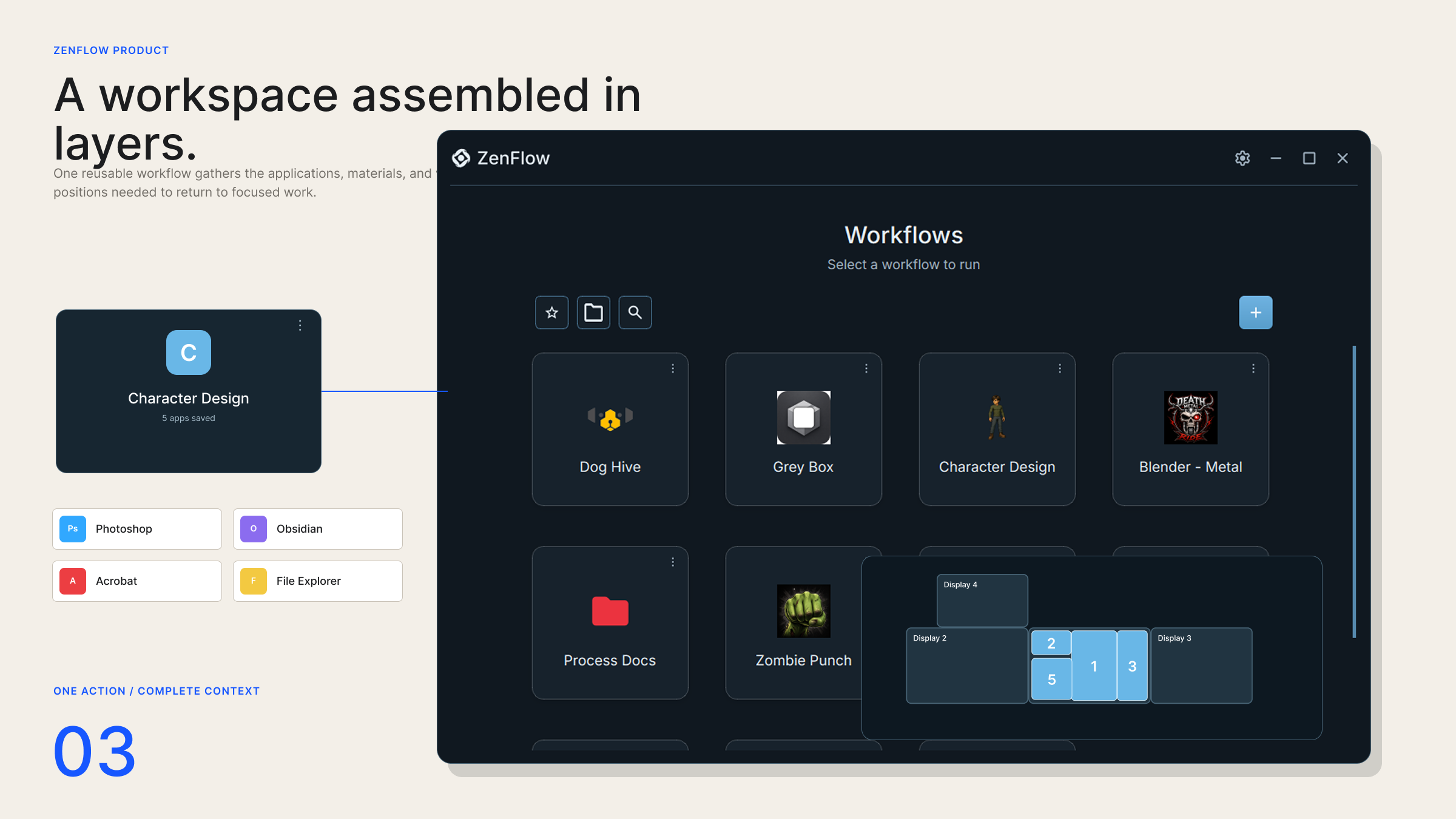
A workspace assembled in layers.
The product keeps the complete workflow easy to recognize while revealing its underlying parts only when someone needs to inspect or change them.
The product object
Make a workflow understandable before exposing its complexity.
Each workflow behaves as a recognizable saved environment. A home grid, favourites, search, and detail views make it possible to find and launch that environment without rebuilding it manually.
01 / Define
Make the workflow understandable before exposing its complexity.
The home surface keeps each saved environment recognizable while its applications, files, scripts, and window positions remain available when needed.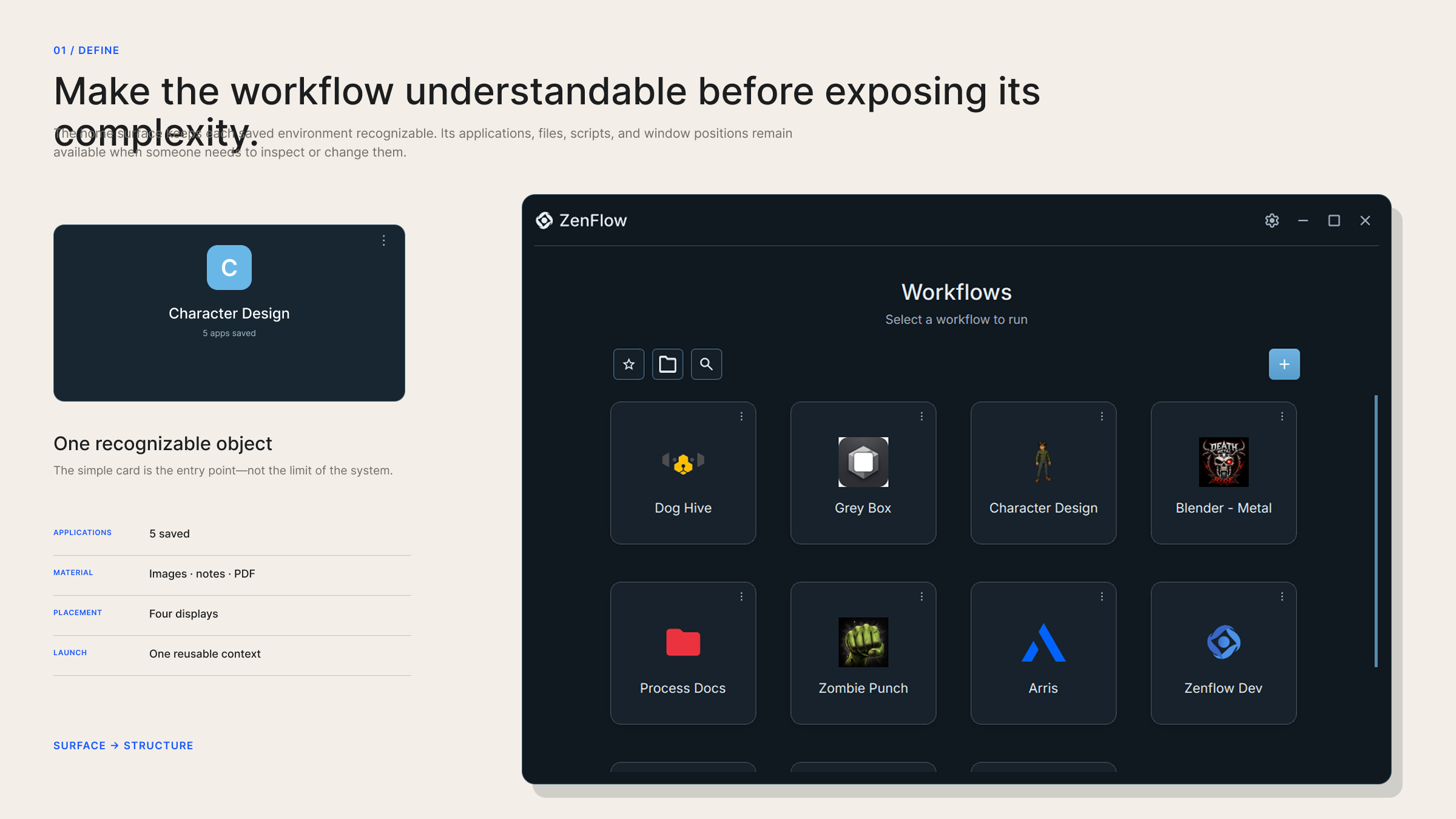
Creation
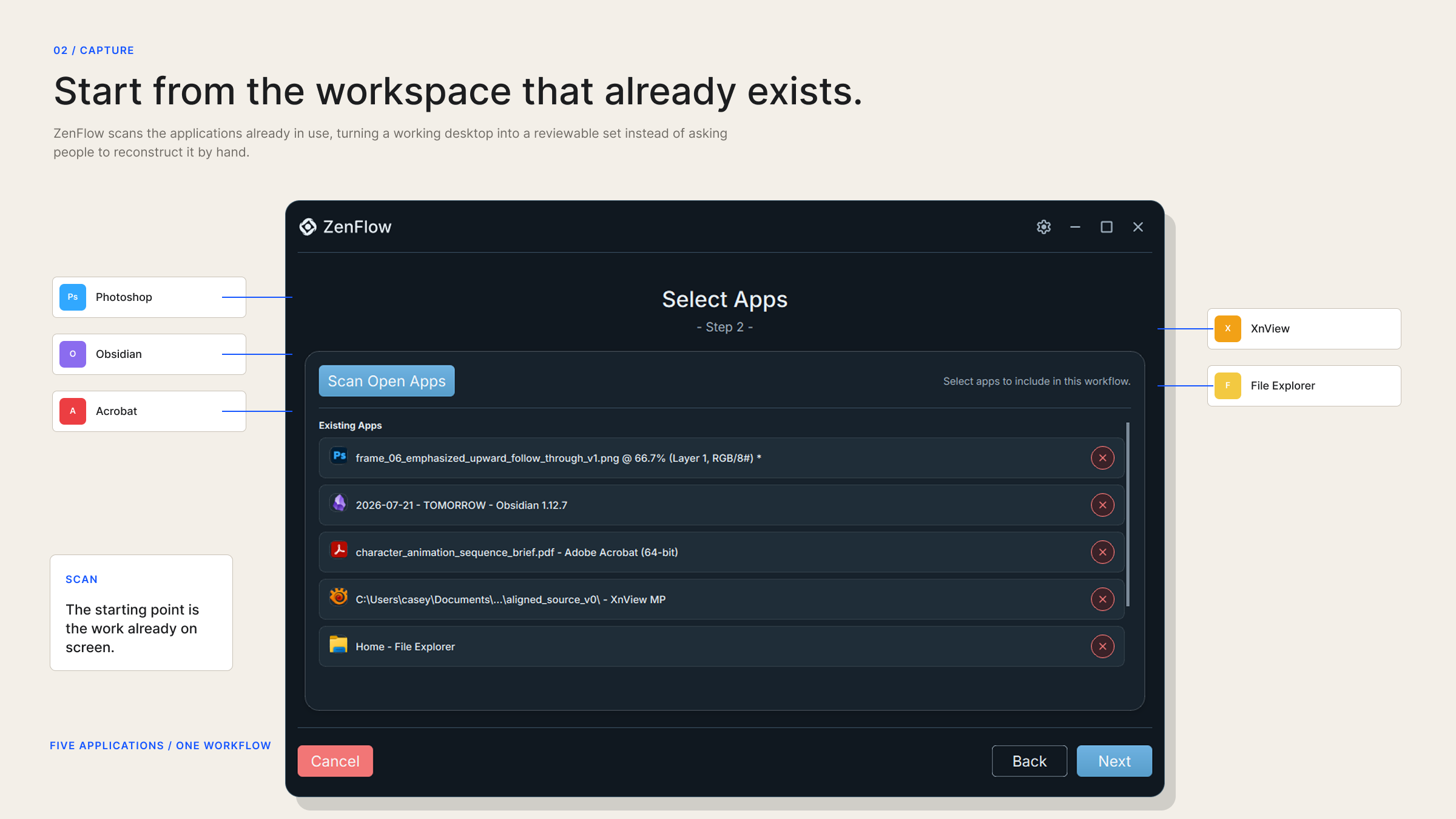
Start from the workspace that already exists.
Workspace scanning reduces setup by finding the applications and materials already in use. A guided creation flow then helps people review those elements and decide what belongs in the reusable workflow.
- Workspace scanning
- Guided workflow creation
- Application and file relationships
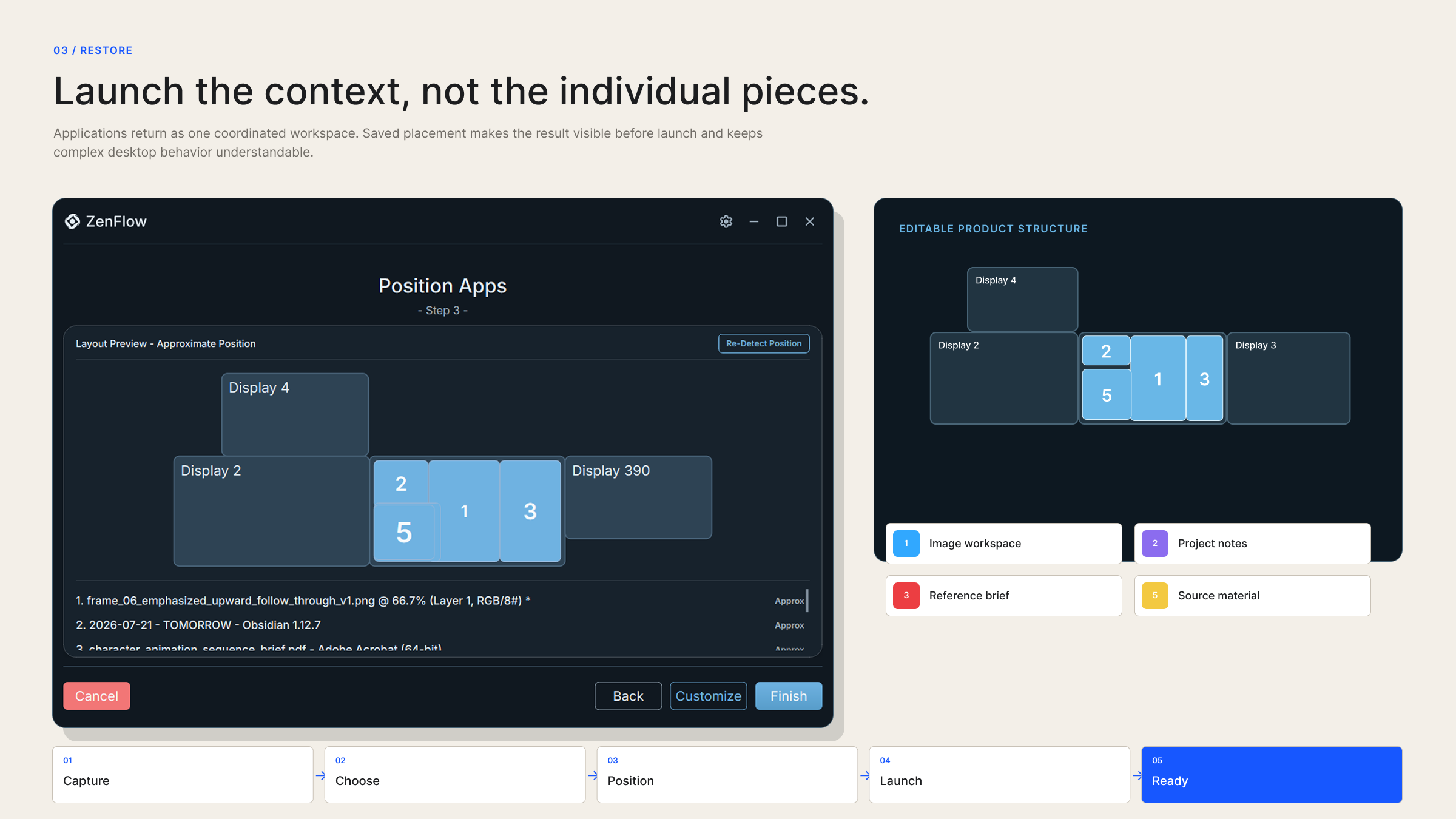
- Monitor and window placement
Native behaviour
Complex coordination should still feel like desktop software.
Browser integration, native application behaviour, scripts, and process handling sit beneath a focused interface. The system exposes the detail required for control without making every launch feel technical.